
Best AI Tools For Sales Prospecting in 2026
Every buying decision about AI for sales prospecting comes down to one question most vendor content skips: which half of the problem are you actually trying to fix? A rep with a perfect list who opens a call with a generic pitch converts nothing. The contact was right, the timing was right, and the first 90 seconds still told a C-level buyer that nobody had done the work. That meeting becomes a polite no, and the cost of it never shows up in a data coverage comparison.
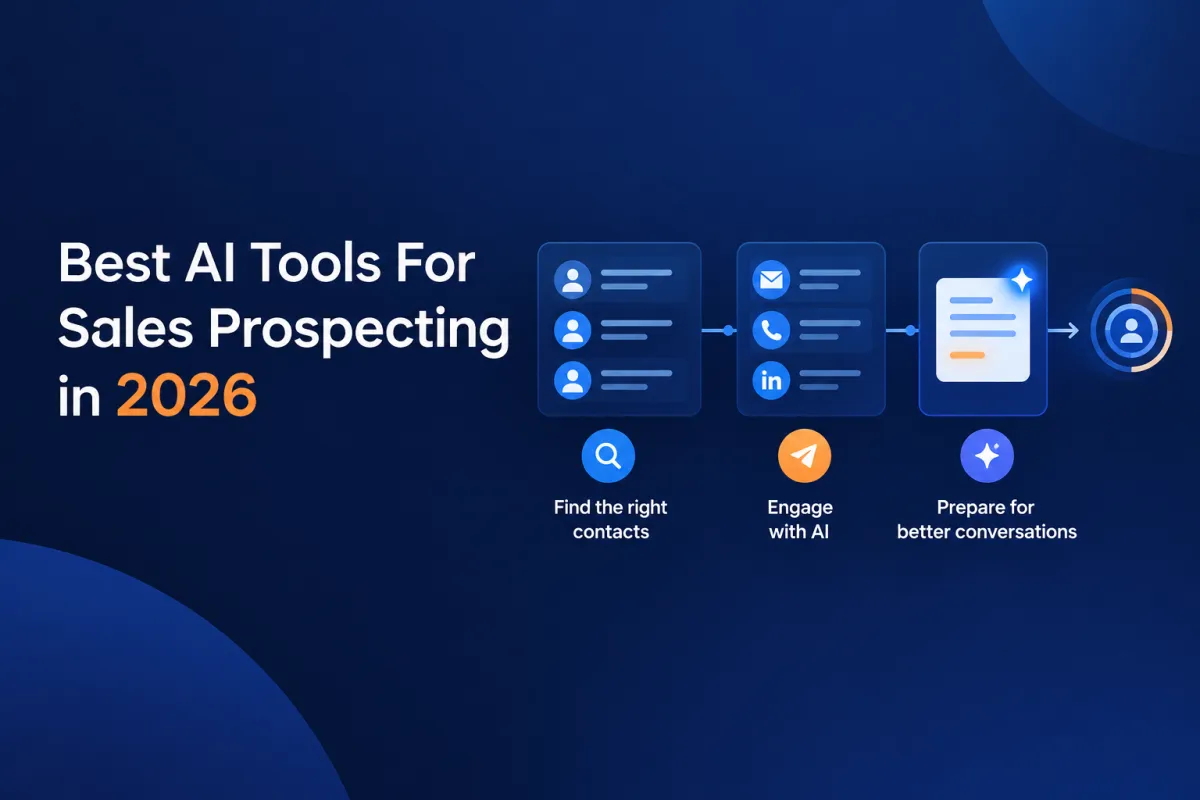
The category has three distinct jobs inside it, and the top search results treat them as one. Some tools find people. Some tools contact people. A much smaller set decides what the rep should say once the meeting is booked. Buy the wrong one and you end up with more records to manage instead of better conversations.
This guide covers 10 of the best AI tools for sales prospecting, grouped by what each product was originally built to do. It also answers the question most VPs of Sales are quietly asking before they spend anything: whether a general-purpose AI assistant in a browser tab would do the job for free.
What is AI for sales prospecting?
AI for sales prospecting describes software that uses machine learning, natural language processing, and predictive analytics to find target accounts, surface buying signals, and prepare or automate outreach. In practice, the label covers three different products that buyers tend to shop as one.
Contact databases find people. They hold verified emails, direct dials, firmographics, and technographics, and they exist so a rep can build a list that matches the ideal customer profile. ZoomInfo, Apollo, and Cognism sit here.
Sequencers contact people. They manage what happens after the list exists, coordinating email, phone, and social touches on a schedule that advances on engagement or elapsed time. Outreach is the reference product.
Preparation and conversion layers decide what to say. They take a name, a company, and a title and return the research, predicted pain points, and questions a rep needs to be relevant on a first call, then analyze the call afterward. This is the newest of the three and the one the current search results largely ignore.
Most stacks already own the first two. The gap usually sits in the third.
The 10 best AI tools for sales prospecting in 2026
The tools below were evaluated on five criteria: what the product was originally built to do, data quality or context depth, workflow fit for teams of roughly 10 to 150 sellers, pricing transparency, and integration depth. Naming those criteria is important, because a tool that scores poorly on data coverage may be the correct purchase for a team whose data was never the constraint.
1. Revenue Growth Agent: Best for B2B sales teams of 10 to 150 sellers
Revenue Growth Agent earns the top slot in a category built around finding contacts because for most teams in this size range, the list is not the bottleneck. The first conversation is. RGA is AI-native rather than a CRM, call recorder, or sequencer with AI features added later, and that difference shows up in what the product actually does: three agents trained on the seller's own materials, with no legacy data model underneath them.
The training model is the strongest specific asset. Customers upload their own PDFs, web pages, case studies, value propositions, project plans, and YouTube content, and the Meeting Prepper Agent predicts prospect pain points through the lens of what that team sells rather than returning generic category advice. RGA publishes live Meeting Prepper examples for Vlad Podoliako at Belkins.io and Greg Smith at Vvardis, which is a faster way to judge output quality than any feature list.
Coaching happens after the call, not during it. The Discovery Conversion Agent analyzes an uploaded AI notetaker transcript and returns MEDDIC (Metrics, Economic buyer, Decision criteria, Decision process, Identify pain, Champion) scoring plus a gap analysis, with no fields for the rep to complete.
Strengths: A Meeting Prepper brief in roughly two minutes covering company overview, financial insights, industry trends, personal insights on the prospect, predicted pain points, solution mapping, talking points, and eight discovery questions. The discovery conversion agent trained on the customer's own uploaded materials, so talking points reference real case studies and proof points; automated MEDDIC scoring and gap analysis from a transcript, with recommended next-call questions. RGA has per-seat pricing that keeps most purchases under typical procurement thresholds.
Reported customer outcomes are hedged in RGA's own materials: up to 30% to 130% higher meeting booking rates, as much as 40% more leads converting to opportunities, sales cycles 30% to 60% shorter, and AI SDR tools style ramp compressed to as few as three to four weeks against roughly 12.
Limitations: RGA is a preparation, coaching, and proposal layer rather than a contact database, so teams still need a data source such as ZoomInfo or Apollo to build lists.
Platform: Web app. Salesforce and HubSpot integrations populate Meeting Prepper from CRM contact and lead records and write document URLs back. Works with transcripts from Fathom, Fireflies, Zoom, and Teams notetakers.
Pricing: $109/user/month billed monthly, or $87/user/month billed annually (20% savings). Additional 10% discount at 10 or more users, with custom pricing above 50. Includes a 14-day trial and no setup fees. Session allowances vary by plan and are worth confirming against your expected volume.
Ideal for: SDR (Sales Development Rep) and BDR (Business Development Rep) agencies running 10 to 150 reps across rotating client campaigns, and SaaS or professional services teams where new reps need to sound credible to C-level buyers in weeks rather than months.
2. ZoomInfo: Best for enterprise teams that need the deepest verified contact data
ZoomInfo is the reference point for data depth in this category, and treating it as a benchmark rather than a rival is the honest read. It and RGA solve different halves of the same problem. If your reps cannot find the right person at the right account, no amount of preparation intelligence fixes that, and ZoomInfo remains the widest verified dataset here at roughly 500 million contacts and 100 million companies. The intelligence layer connects CRM history, conversation data, and behavioral signals into prioritized account feeds.
Strengths: The largest verified contact and company database of any tool in this comparison, including a deep pool of direct-dial numbers; Guided Intent narrows signal tracking to topics historically correlated with the team's own closed deals rather than generic category interest; native bi-directional sync with Salesforce, HubSpot, and Microsoft Dynamics; ISO 27001, ISO 27701, SOC 2 Type II, and GDPR credentials, which shortens enterprise procurement review.
Limitations: Quoted pricing and a heavier onboarding investment make it an awkward fit for teams under roughly 25 sellers or without dedicated revenue operations support.
Platform: Web app, Chrome extension, Salesforce, HubSpot, Microsoft Dynamics, API, and MCP access.
Pricing: Free to start with ZoomInfo Lite, which carries a small monthly credit allowance. Paid tiers are quoted, and buyer-reported contracts commonly run from roughly $15,000 to $60,000 or more per year depending on seats, credits, and modules. ZoomInfo has signaled a move toward a hybrid model combining a lower platform fee with pre-purchased credits, so ask which model your quote reflects.
Ideal for: Enterprise and upper mid-market teams that treat data coverage as the primary constraint and have the operations resources to configure it.
3. Apollo.io: Best for mid-market teams that want data and sequencing in one tool
Apollo is the practical baseline rather than a discovery. Most teams in the 10 to 150 seller range are already paying for it, which makes the useful question not whether to buy it but what it does and does not cover. Apollo handles finding and contacting. It does not decide what the rep should say on the call it books. It combines a database of roughly 275 million contacts with sequencing, a dialer, and email verification, which is why it tends to be a popular purchase for teams building outbound from scratch.
Strengths: Contact search across 65 or more filters, with intent topics and job change alerts to time outreach; sequences, dialer, and email verification built in, so research and outreach happen in one place; Chrome extension pulls contact data while browsing LinkedIn or company sites; a working free tier and credit-based paid plans make it accessible well below enterprise budgets.
Limitations: The database is smaller and less rigorously verified than ZoomInfo's, and credit costs climb quickly once lead enrichment volume grows, particularly for phone numbers.
Platform: Web app, Chrome extension, Salesforce, HubSpot, Pipedrive, and API.
Pricing: Free tier available. Basic starts at $49/user/month billed annually ($59 monthly), Professional at $79 annually ($99 monthly), and Organization at $119 annually ($149 monthly) with a three-seat minimum.
Ideal for: Sales teams of roughly five to 50 reps that want list building and outreach consolidated rather than stitched together.
4. Clay: Best for growth teams building custom enrichment workflows
Clay is the power-user pick, and readers self-select fast once the technical bar is stated plainly. It is a data and workflow layer rather than a database of its own. It runs waterfall enrichment across a large set of providers and lets teams chain lookups, AI research steps, and formatting into a spreadsheet-style workflow that produces exactly the fields they specified.
Strengths: Waterfall enrichment across 100 or more data providers finds the best available value for each field; Claygent research agents visit sites and profiles to extract custom information from a written prompt; the spreadsheet-style builder is familiar to anyone comfortable in Excel; unlimited seats on every plan, since pricing scales with usage rather than headcount.
Limitations: Building and maintaining workflows takes real technical comfort, which makes it a poor fit for a team that needs something working on day one.
Platform: Web app with API access and integrations across major data providers and outbound tools.
Pricing: Clay restructured its plans in March 2026. Current tiers are Free, Launch at $185/month ($167 annually), and Growth at $495/month ($446 annually), with Enterprise quoted. Costs are driven by data credits and actions, and failed lookups still consume credits.
Ideal for: Growth and revenue operations teams with a dedicated owner for outbound tooling and a specific workflow they cannot buy off the shelf.
5. Cognism: Best for teams selling into EMEA markets
Geographic fit is the entire argument here, so it is worth stating in one line: if your pipeline is European and your motion is phone-first, Cognism is likely the right data provider, and if it is not, it probably is not. The platform is built around European coverage and compliance, with an emphasis on phone-verified mobile numbers for teams that break into accounts by calling.
Strengths: Diamond Data phone-verified mobile numbers deliver higher connect rates in EMEA regions; coverage across 400 million or more professional profiles with strong European depth; GDPR, CCPA, and do-not-call handling built into data delivery rather than added afterward; buyer intent signals through a Bombora partnership identify in-market accounts.
Limitations: North American database depth trails ZoomInfo, so US-focused teams generally get more from a different provider.
Platform: Web app, Chrome extension, Salesforce, HubSpot, Outreach, Salesloft, and API.
Pricing: Contact for pricing. Two tiers, Grow and Elevate (formerly Platinum and Diamond), are sold as a platform fee plus per-user licensing on annual contracts. Buyer-reported packages commonly start around $15,000 per year.
Ideal for: Teams selling into Europe, particularly those running phone-first outbound under strict compliance requirements.
6. Seamless.AI: Best for reps who prospect live while browsing
The differentiator here is workflow shape rather than data volume. Contacts surface where the rep already is. Seamless.AI runs contact search in real time from a browser extension, so reps pull emails and direct dials while looking at a LinkedIn profile or company site instead of switching to a separate database and building a list first.
Strengths: Chrome extension surfaces contact information live on LinkedIn, company sites, and business directories; Pitch Intelligence generates talking points and engagement cues alongside the contact record; Autopilot handles list building, enrichment, and outreach coordination as one workflow; a free tier allows evaluation of data quality before any sales conversation.
Limitations: Because lookups run live rather than against a continuously verified store, data freshness varies more than it does with the larger databases.
Platform: Web app, Chrome extension, and exports to Salesforce, HubSpot, and Microsoft Dynamics.
Pricing: Free tier with a limited one-time credit allowance. Pro and Enterprise are both quoted, sold per user on annual contracts. Seamless retired its lower-cost self-serve paid tier, so a sales conversation is now the only route to a paid plan.
Ideal for: Individual reps and small teams that prospect by browsing rather than by building lists in advance.
7. Outreach: Best for teams scaling multi-channel sequences
Outreach belongs in this guide because buyers shortlist it against prospecting tools, not because it does the same job. It is a sales engagement platform. It manages what happens after the list exists, coordinating email, phone, and social touches through sequences that progress on engagement or elapsed time, with the reporting layer managers use to see what is working.
Strengths: A multi-channel sequence builder that coordinates email, calling, and social outreach in one workflow; send-time optimization and A/B testing improve reply rates without manual tuning; reporting on sequence performance and rep activity gives managers a clear coaching surface; deep integration across major CRMs for activity logging and record sync, with the Salesforce integration widely rated the strongest in the category.
Limitations: Outreach does not supply contact data, so it needs a separate source to fuel any sequence.
Platform: Web app with built-in dialer and integrations across major CRMs.
Pricing: Contact for pricing. Per-user subscription on annual contracts, with buyer-reported entry pricing at roughly $100/user/month and higher tiers running to $160 or more. The 2026 Amplify packaging adds a consumption-based AI credit layer on top of seat cost, and implementation is usually a separate fee.
Ideal for: Teams with a working data source that need to scale consistent multi-channel follow-up across many reps.
8. HubSpot Sales Hub with Breeze: Best for teams already standardized on HubSpot
The honest framing here is ecosystem gravity. For a team already running HubSpot, the integrated option often wins on adoption even when a point solution scores higher on features, because the data is already in place and the reps already log in. Sales Hub puts prospecting, sequences, and pipeline management inside the CRM, with the Breeze prospecting agent handling research and outreach drafting against records the team already maintains.
Strengths: Prospecting, sequencing, and deal management live in the same system as the customer record; the Breeze prospecting agent drafts outreach and summarizes calls without a separate tool; a free CRM entry point with paid seats that scale as the team grows; unified reporting across marketing, sales, and service for teams running the full suite.
Limitations: HubSpot is not a standalone data provider, and its AI features are broader and less specialized than those of dedicated prospecting platforms.
Platform: Web app, mobile, and the wider HubSpot ecosystem, with third-party data integrations available.
Pricing: Free CRM. Sales Hub Starter runs $20/seat/month billed monthly ($15 annually), and Professional runs $100/seat/month ($90 annually) plus a one-time $1,500 onboarding fee. Sequences, automation, and the Breeze prospecting agent sit at Professional and above, with agent usage metered through HubSpot credits.
Ideal for: Small and mid-market teams already running HubSpot that value adoption and unified data over specialized capability.
9. Salesforce Agentforce Sales: Best for enterprises consolidating on Sales Cloud
The relevant point for a buyer here is that value is downstream of CRM data hygiene, which is a real evaluation criterion rather than a swipe. Agentforce Sales, the current branding for Sales Cloud with Salesforce's agent layer, adds autonomous agents that engage inbound prospects, qualify leads, and book meetings using data already sitting in lead, contact, and account records. Clean records produce useful agent output. Stale records produce confident nonsense.
Strengths: Agents qualify inbound leads and schedule meetings directly from CRM records; multistep cadences build messaging from existing CRM fields, reducing manual personalization; predictive dashboards give sales leaders pipeline visibility alongside agent activity; consolidates prospecting, deal management, and forecasting on one platform for teams already on Sales Cloud.
Limitations: Output quality depends heavily on existing Sales Cloud data hygiene, and both scope and pricing assume an enterprise rollout.
Platform: Web app within Sales Cloud, plus the wider Salesforce ecosystem.
Pricing: Published per-user editions run $25 (Starter Suite), $100 (Pro Suite), $175 (Enterprise), $350 (Unlimited), and $550 (Agentforce 1 Sales) per user per month. Agent usage can also be bought through consumption models, including Flex Credits and per-conversation pricing, and deeper deployments typically require Data Cloud.
Ideal for: Enterprise revenue teams already committed to Sales Cloud with the operations capacity to keep CRM data clean.
10. ChatGPT and Claude: Best for individual sellers testing the workflow before buying
General-purpose assistants are the most common alternative to buying anything, and they deserve a fair reading rather than a dismissal. Both research a company quickly and well, both draft competently, and there is no procurement cycle to survive. A seller who spends 10 minutes in a chat window before a call is meaningfully better prepared than one who spends none.
The line is consistency. Output tracks whoever is doing the prompting and whatever context they remembered to supply. Both tools can hold standing context through custom instructions or projects, so the limitation is not that it cannot be done. It is that maintaining that context across a whole team, and keeping quality even between your best rep and your 40th, is the work a purpose-built tool absorbs.
Strengths: Fast, capable research on public company information with no contract or procurement cycle; strong at summarizing, reframing, and drafting outreach once given context; flexible for one-off questions no purpose-built tool anticipates; free tiers make them a realistic way to test a preparation workflow before paying for one.
Limitations: Output quality tracks the individual rep's prompting skill and the context they supply, which is workable for one seller and hard to hold to a standard across a team.
Platform: Web, desktop, and mobile apps plus API access. Connector and integration options vary by provider and plan.
Pricing: Free tiers available. Paid individual plans run about $20/month for ChatGPT Plus and Claude Pro, with a lower ChatGPT Go tier at roughly $8/month and premium individual tiers at $100 to $200/month. Team seats run about $25 to $30/user/month for both, with enterprise tiers quoted.
Ideal for: Individual sellers, very small teams, and anyone who wants to pressure-test the value of structured pre-call preparation before buying a dedicated tool.
AI sales prospecting tools compared
Software | Best for | Key feature | Pricing | Platform |
Revenue Growth Agent | B2B teams of 10 to 150 sellers that need reps relevant on the first call | Meeting Prepper brief in about two minutes, trained on your own solutions | $109/user/mo, $87/user/mo annual | Web, Salesforce, HubSpot |
ZoomInfo | Enterprise teams needing the deepest verified contact data | Verified contact graph plus Guided Intent signal detection | Free to start, paid tiers quoted | Web, Chrome, CRM, API |
Apollo.io | Mid-market teams wanting data and sequencing in one tool | Contact search with 65+ filters plus built-in dialer | Free tier, paid from $49/user/mo annual | Web, Chrome, CRM, API |
Clay | Growth teams building custom enrichment workflows | Waterfall enrichment across 100+ providers plus Claygent | Free tier, Launch from $185/mo | Web, API |
Cognism | Teams selling into EMEA markets | Diamond Data phone-verified mobile numbers | Contact for pricing | Web, Chrome, CRM |
Seamless.AI | Reps who prospect live while browsing | Real-time contact search via Chrome extension | Free tier, paid tiers quoted | Web, Chrome, CRM |
Outreach | Teams scaling multi-channel sequences | Multi-channel sequence builder with send-time optimization | Contact for pricing, reported from about $100/user/mo | Web, CRM, dialer |
HubSpot Sales Hub | Teams already standardized on HubSpot | Breeze prospecting agent inside the CRM | Free CRM, Starter from $20/seat/mo | Web, mobile, HubSpot |
Salesforce Agentforce Sales | Enterprises consolidating on Sales Cloud | Agents that qualify inbound leads and book meetings | Editions from $25/user/mo to $550/user/mo | Web, Sales Cloud |
ChatGPT and Claude | Individual sellers and very small teams with no budget | General-purpose research and drafting with no procurement cycle | Free tiers, paid from about $8 to $20/mo | Web, desktop, mobile, API |
Frequently asked questions about AI for sales prospecting
Will AI prospecting tools replace sales development reps?
No, and the tools that market themselves that way tend to disappoint. What these products change is where a rep's time goes: less manual research and data entry, more conversations. Teams that cut headcount and expect software to cover the gap usually find that relevance, judgment, and follow-through still require a person.
What is the difference between sales automation and AI prospecting?
Sales automation executes steps somebody defined in advance, such as sending email three on day seven if email two went unanswered. AI prospecting tools make decisions inside those steps: which accounts look in-market, which contact matters, what this specific buyer likely cares about. Automation gives you consistency at volume. AI is supposed to give you judgment, and how much it actually delivers varies widely by product.
What is the difference between AI prospecting tools and sales engagement platforms?
Engagement platforms such as Outreach and Salesloft own execution after the list exists, orchestrating touches across email, phone, and social and reporting on what worked. Prospecting tools sit upstream, either sourcing the contacts or preparing the rep for the conversation. The two are complements, not substitutes, which is why most mature stacks carry one of each.
How do AI prospecting tools identify buying intent?
Most draw on third-party content consumption data, where a research provider observes that people at a company have been reading about a topic across a publisher network. Others add first-party signals: website visits, job postings, hiring patterns, funding events, technology changes, or executive turnover. The stronger implementations weight signals against the team's own closed-won history rather than treating all category interest as equal.
Can AI prospecting tools integrate with my CRM?
Nearly all of them integrate with Salesforce and HubSpot, but integration depth varies a lot and matters more than the checkbox. Ask three questions during evaluation: does data flow both directions, does the tool write back to the fields your reporting depends on, and does the rep have to leave the CRM to use it. A one-way export into a custom field is a very different product experience from an embedded card on the contact record.
Are AI prospecting tools GDPR and CCPA compliant?
Compliance varies by vendor and by how you configure the tool, so treat any blanket claim with caution, including from the vendors in this guide. What you should ask for is specific: how do-not-call and suppression lists are handled, where data is stored and processed, whether a data processing agreement is available, and which third-party audits the vendor has completed rather than aligned with. Get the answers in the contract, not the demo.
Can ChatGPT do prospect research on its own?
Yes, and it does it well. Point either ChatGPT or Claude at a company and you will get a credible summary of what it does, who it serves, and what is happening in its market, faster than a rep would assemble it by hand. The honest limitation is standing context and consistency: neither knows what your team sells unless someone supplies that, and the quality of the brief tracks the skill of whoever wrote the prompt. That is manageable for one seller and very hard to standardize across 50.
How long does it take to see results from an AI prospecting tool?
For data tools, the useful signal appears within a few weeks: connect rates, bounce rates, and how much time reps spend building lists. For preparation and coaching layers, leading indicators such as first-call conversion and meeting-held rates move faster than closed revenue, which is gated by your sales cycle length. Set a baseline before rollout, because most teams discover afterward that they never measured the metric they now want to prove.
Choosing the right AI prospecting tool for your team
The decision gets much simpler once you name the constraint honestly. Look at last quarter and find where the drop-off actually happened, then buy against that, not against whichever tool your peers mentioned on LinkedIn.
If reps cannot find the right people, buy a database, and choose it on geography and verification depth rather than raw record counts. ZoomInfo for North American depth, Cognism for EMEA and phone-verified mobiles, Apollo if you want data and sequencing in one line item, Clay if your ideal customer profile is specific enough that off-the-shelf lists never fit it. If reps find people but follow-up is inconsistent, buy a sequencer and give someone real ownership of it. If meetings are being booked and the first calls are not converting, that is a preparation problem, and no amount of additional data will solve it.
That last case is where Revenue Growth Agent fits. Start a 14-day trial and run a Meeting Prepper brief against a real target account to see what your reps would walk in with, or book time with an RGA expert if you would rather see it applied to your pipeline first.